


Overdrop - Weather & Widgets
4.21.73K Reviews
App Specs
- Version
- 2.5.2
- Updated On
- License
- Free
- Downloads
- 1,000,000+
- Developer
- overdrop.app
- Categories
- Weather
- Platform
- Android, iOS
Screenshots
 Analysis by AppCompare
I judge a weather app by a few practical things: can I check conditions quickly, can I tell what might change later, and does it fit into the way I already use my phone? A pretty screen matters, but it is not much help if I have to dig through menus before leaving the house. Overdrop - Weather & Widgets puts presentation and at-a-glance access near the center of the experience, which makes it appealing if you like seeing weather information on your home screen as well as inside the app.
Overdrop is a free weather app from overdrop.app. It has a 4.3 average from around 20 thousand ratings, and more than a million installs suggest it has found an audience beyond weather-app enthusiasts. It is rated for Everyone, runs on Android 6.0 or later, and its current version is 2.4.0. The app is free to start, with optional in-app purchases ranging from $0.99 to $104.99 per item, so I would check the available purchase details before paying for anything. The main question is whether its mix of forecasts, visual design, and widgets suits your habits.
Choose by routine, not by the longest feature list
Before switching weather apps, I’d think about when I actually check the forecast. If I only need to know whether it is raining right now, a simple phone weather panel may already do the job. If I plan around the coming days, compare conditions before a commute, or like keeping a compact forecast visible, a dedicated app can be more useful. Overdrop’s appeal is strongest for that second kind of routine: it offers a more customizable place to check weather and a range of widgets for quick reference.
One useful way to judge any forecast is to compare it with what happens in your own neighborhood over time. I would use the same location and check the forecast before ordinary plans, then notice whether the timing and general conditions tend to match what I experience. Weather can vary across nearby areas, so a forecast that works well for one person may be less dependable for someone a short drive away. Treating forecasts as guidance rather than a guarantee is sensible, especially when plans depend on severe conditions.
First Impressions and User Interface
Right off the bat, Overdrop - Weather & Widgets greets you with a sleek and modern design. It's like the minimalist dream come true for weather apps. The interface is clean, with a cool color palette that makes everything easy on the eyes. Navigation is intuitive, and I didn’t find myself fumbling around to find what I needed. It’s like the app just knows what you're looking for and puts it right in front of you.
Features that Stand Out
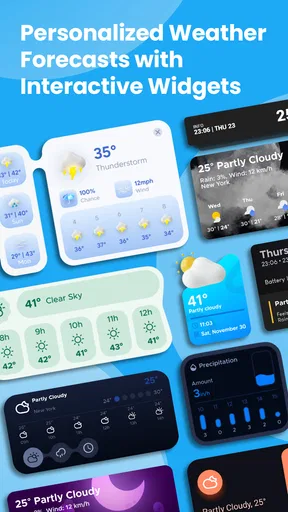
Okay, let's dive into the good stuff. One of the standout features has to be the customizable widgets. Overdrop provides a variety of widget styles that you can tweak to match your home screen vibe. Whether you're a fan of detailed information or prefer something minimalistic, there's a widget for you.
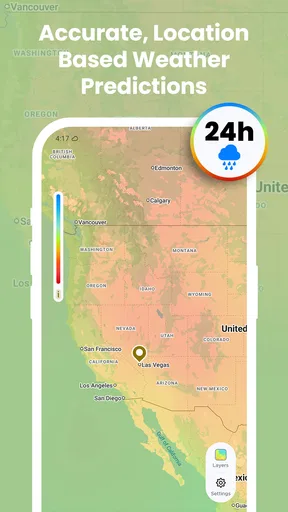
The app gives you hyper-local weather forecasts, and it’s pretty spot-on. You can choose from different weather providers like Dark Sky, WeatherBit, and OpenWeather. This means you can pick the one that’s most accurate in your area, which is a huge plus. I mean, who doesn't love options?
Worth Reading Before You Choose

EA SPORTS FC Mobile 26 Is a Bigger Football Game, but It Takes Time

Flipboard Shows What News Apps Must Do Beyond the Feed

Switching to Android Auto Means Rethinking Your Driving Routine

Google Calendar Makes a Crowded Week Easier to Manage

Ludo King Makes the Most of the Minutes Between Plans

Baby Panda World Brings Quick Play to Modern Phones, but Its Game Library Feels Busy
Making widgets work for you
The large selection of widgets is most useful when I treat it as a small information-design choice, not a reason to fill every empty space on the home screen. I’d start with one compact option, put it where I naturally glance before heading out, and see whether it answers the question I ask most often. If it does not, I’d try a more detailed layout rather than adding several widgets at once. That keeps the screen readable and makes it easier to tell whether the extra forecast detail is genuinely helping.
Widgets are especially handy when I am deciding whether to take a coat or allow extra time for a wet commute: I can glance at the home screen before opening anything. Their trade-off is that a widget is a snapshot, not a substitute for checking the full forecast when weather is changing quickly. For a day trip or an outdoor appointment, I would use the widget for a quick check, then open the app for more context before committing to a plan.
Real-Time Alerts and Notifications
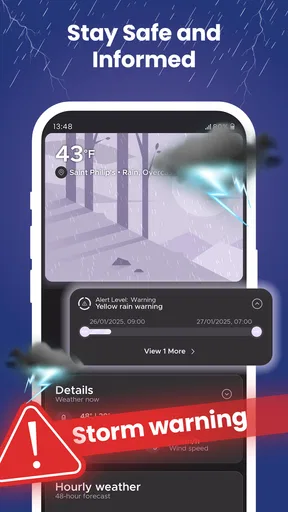
One of the things I appreciate about Overdrop is its focus on real-time alerts. It lets you know about severe weather conditions, so you're never caught off guard. The notifications are timely and not too intrusive, which is perfect for those of us who don't want our phones buzzing constantly.
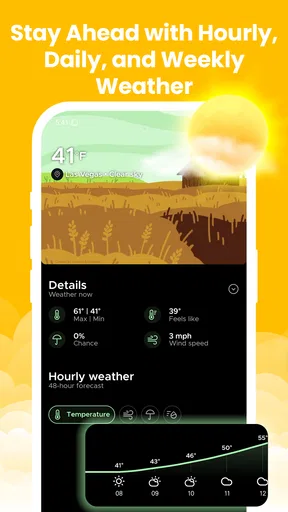
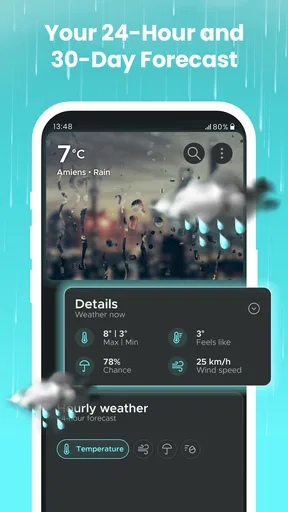
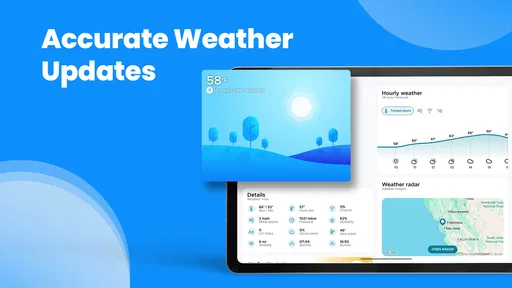
Another cool feature is the 7-day weather forecast, presented in a visually appealing way. It gives you a quick overview of what to expect throughout the week, and let’s be honest, it’s always good to know if you should carry an umbrella or not.
Alerts, planning, and the limits of a forecast
I would treat severe-weather notifications as a useful backup rather than my only safety check. If a storm could affect a drive, outdoor work, or a family plan, I would read the alert and then look at the detailed forecast before deciding what to do. A notification can draw attention to a change, but it cannot make a forecast certain or replace judgment about local conditions. This is a practical distinction: alerts help me notice, while the forecast helps me plan.
The week view is better for spotting broad patterns than for locking in exact plans several days ahead. If I am arranging a picnic, for example, I would use it to see whether the week looks generally unsettled, then check again closer to the day. That gives the forecast room to change without making the app feel unreliable. For a time-sensitive decision, a nearby observation and a fresh check matter more than a glance at a distant day in the outlook.
Where another weather app may fit better
Overdrop is not automatically the best choice for everyone. If you prefer the built-in weather screen and only check the temperature occasionally, installing a separate app and arranging a widget may add more setup than value. If your priority is a very plain forecast with as little visual styling as possible, you may prefer a simpler alternative. And if you need a specific specialist tool, such as a workflow centered on maps or detailed meteorological data, compare those options directly rather than assuming a polished everyday forecast app will cover every need.
Its choice of forecast providers is a meaningful advantage only if you are willing to test them. I would keep the same location and compare the options over ordinary days, instead of switching providers after one surprising forecast. Local weather is variable, and a single miss does not prove that one source is consistently better. This small trial can help you choose a provider that suits your area without turning a routine check into constant settings-tweaking.
Battery and Performance
Now, no one wants an app that drains their battery, right? Overdrop seems to have nailed it in this department. The app runs smoothly without any noticeable lag, and it isn’t a battery hog. That's a win-win for anyone who relies on their phone throughout the day.
Performance-wise, the app is pretty responsive, and I didn’t encounter any crashes or bugs during my time using it. It’s these little things that make a big difference in the overall experience.
What to consider before switching
Moving to a new weather app is not just about installing it; it is also about changing a habit. I would give Overdrop a fair trial alongside the weather tool I already use, checking both for the same location and the same kind of decision. Once I know which forecast view I trust and which widget I actually look at, I can remove the old shortcut without losing a familiar routine. If I never use the widget after a few days, that is a good sign the extra customization is not worth maintaining for me.
There is also a balance between tailoring the app and leaving it alone. Themes and widget styles make it easier to get a look that feels right, but spending too long adjusting the appearance can distract from the practical question: does the information help me decide what to wear or when to leave? I would make one or two changes, settle on a useful layout, and revisit the settings only if the current view is getting in the way.
Personalization and Themes
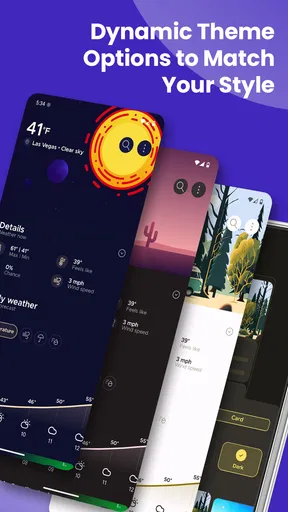
Who doesn’t love a bit of personalization? Overdrop allows you to switch between light and dark themes, which is great for those late-night weather checks. Plus, the app has a bunch of themes to choose from, so you can tailor the look to your liking.
The ability to customize the app's appearance is a nice touch and shows that the developers are keen on providing a personalized experience for every user.
Price and who should skip it
Because the app is free to download but includes optional purchases, I would begin with the free experience and only consider paying if a specific paid option solves a problem I have. The in-app purchase range is wide, so I would read each item’s details carefully rather than assume every feature or purchase is necessary. Someone who wants a straightforward forecast without customization may be happier sticking with a basic alternative; someone who enjoys tuning a home screen and checking a week at a glance has more reason to explore what Overdrop offers.
It is also worth thinking about how often you want weather information to reach you. If notifications feel distracting, I would adjust how I use alerts rather than letting them interrupt every routine. If I only need an occasional check, I may not benefit from keeping a dedicated widget visible. The app makes the most sense when its glanceable information and personal presentation become part of a routine, not when they create more phone clutter.
Wrapping Up
So, after spending some quality time with Overdrop - Weather & Widgets, I can confidently say it's one of the best weather apps out there. It’s not just about the features, but how those features are presented that makes it stand out. From the clean design to the customizable widgets and accurate forecasts, everything just works seamlessly.
If you're in the market for a weather app that's both functional and a joy to use, give Overdrop a shot. It’s available for both Android and iOS, so everyone can get in on the action. Happy weather watching!
Pros
- User-friendly interface with smooth navigation.
- Highly accurate weather forecasts provided.
- Customizable widgets to suit user preferences.
- Minimalist design with aesthetic appeal.
- Offers detailed weather insights and alerts.
Cons
- Some features locked behind a paywall.
- Limited free widget customization options.
- Occasional ads can interrupt user experience.
- Requires constant internet for accurate data.
- Battery usage can be higher than expected.
FAQs for Overdrop - Weather & Widgets
What features does Overdrop offer for weather tracking?
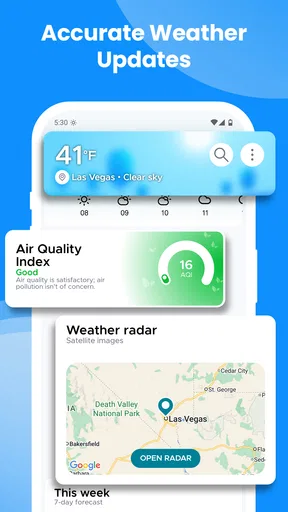
Overdrop provides a comprehensive suite of features for weather tracking, including real-time weather updates, 7-day forecasts, severe weather alerts, and radar maps. The app also offers customizable widgets for your home screen, allowing you to access weather information quickly. Its sleek and intuitive design enhances the user experience, making it a favorite among weather enthusiasts.
Is Overdrop available for both Android and iOS devices?
Yes, Overdrop is available for both Android and iOS platforms. Users can download the app from the Google Play Store for Android devices and the Apple App Store for iOS devices. The app is optimized for seamless performance on both operating systems, ensuring that users have a consistent experience regardless of their device.
Does Overdrop offer any premium features or subscriptions?
Overdrop offers a premium version that includes additional features such as ad-free usage, more widget styles, and access to multiple weather providers for better accuracy. Subscribers can enjoy enhanced customization options and detailed weather insights. The premium version is available through a monthly or yearly subscription model, allowing users to choose based on their preferences.
How accurate is the weather data provided by Overdrop?
Overdrop sources its weather data from reliable providers, ensuring high accuracy in its forecasts. Users have the option to select from multiple weather providers, allowing them to choose the one that best suits their location and needs. The app’s frequent updates and real-time alerts help ensure users receive the most current weather information available.
How user-friendly is the Overdrop interface?
Overdrop boasts a user-friendly interface that is both intuitive and visually appealing. The app’s design focuses on ease of navigation, with clearly displayed weather information and customizable widgets. Users can easily access detailed forecasts and settings, making it suitable for both casual users and those needing more in-depth weather data.


